
How to: Pricetag your 3D print’s using Blender with i.materialise
Blender is one of the most used 3D modeling programs used by the designers community also it´s extremely popular because it’s very light, versatile and Open-source. Even their plugins are awesome here it is the i.materialise plugin that will help on your daily work. Blender has now returned to surpr

Blender is one of the most used 3D modeling programs used by the designers community also it´s extremely popular because it’s very light, versatile and Open-source. Even their plugins are awesome here it is the i.materialise plugin that will help on your daily work.
Blender has now returned to surprise us with a specific Plugin for 3D printing, with which we can print using i.materialise with their complete catalog of materials and quote them in real-time.
i.materialise decided to help blender artist’s and now you are able to connect your designs with their 3D printing service in just a few clicks.
i.materialise Plugin for Blender.
The plugin gives instant access to i.materialise in blender. Once installed, you will get information on real-time about the price of your design with materials and finishes selected before the printing « There are over 100 kinds of materials and finishes available ».
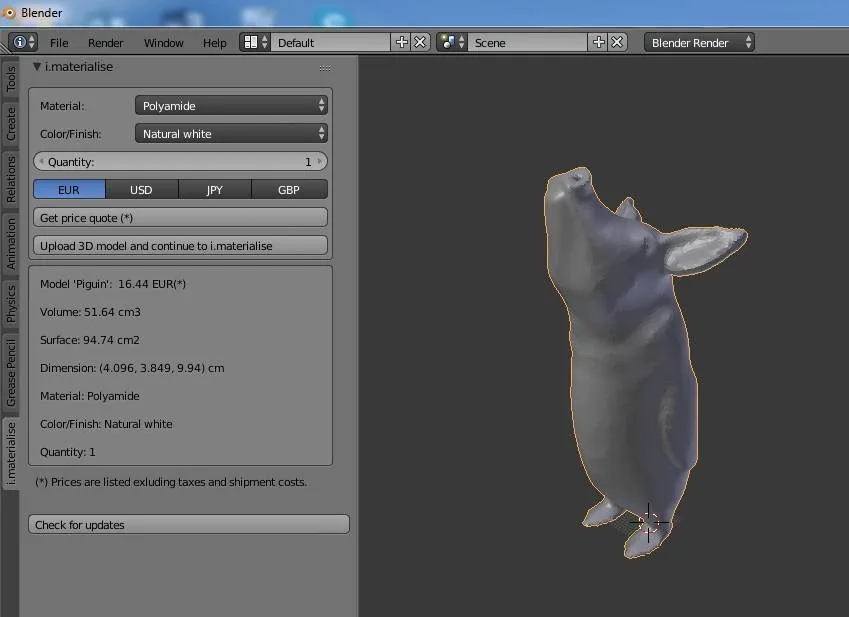 i.materialise
Installation
First download the blender plugin here, then save the .zip file.
Enter to blender and open user preferences « Ctrl + Alt + U, select “Add-ons”, and make install from the file » Now, you go to the file you downloaded and select it.
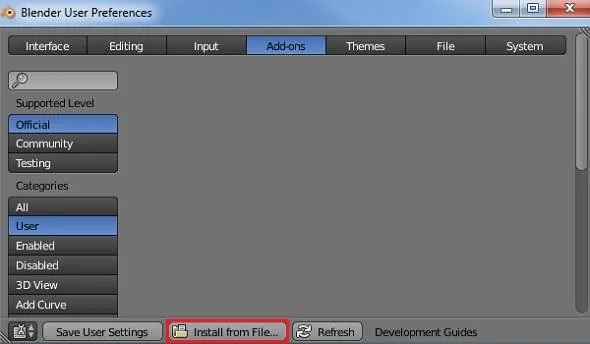 i.materialise
**** it should appear in the list, then we just have to enable it.
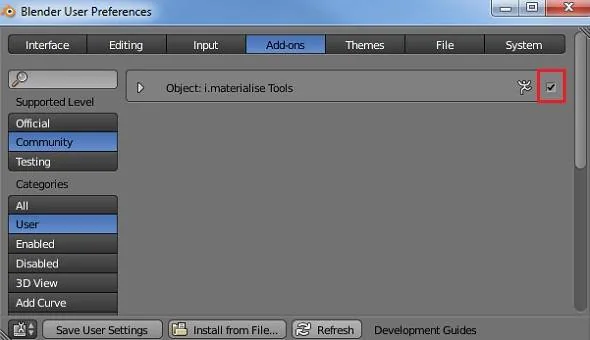 i.materialise
Caution: if you want the plugin enabled by default when you use Blender, click on « Save User Settings »at the bottom.
How to use it ?
after this is installed, the i.materialise plugin opens new tab on the left side. Click on it and select material 3D printing and finishing we want, we get a real-time quote for 3D printing of our model. It also tells you information related to the model, such as scales, volume and surface 3D printing.
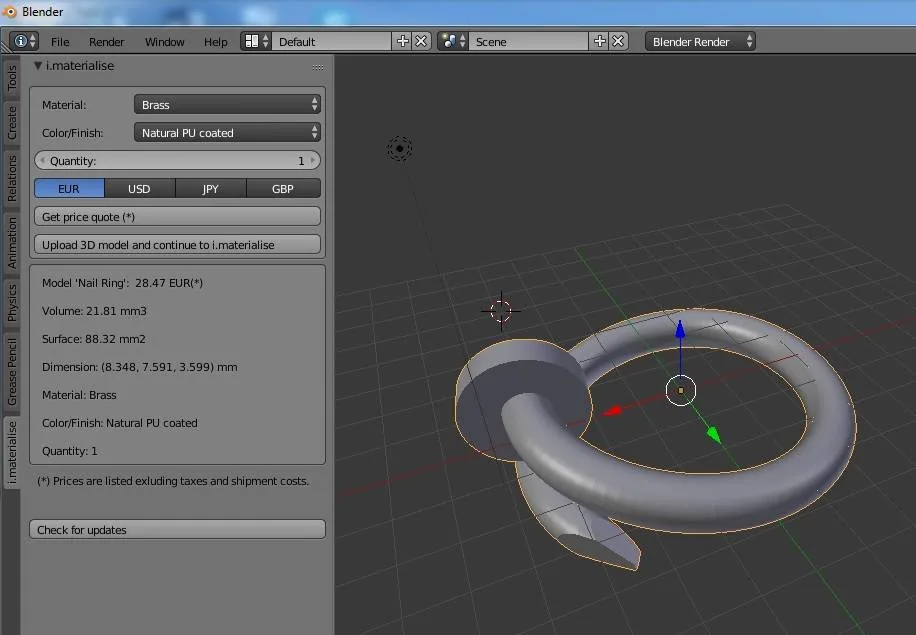 i.materialise
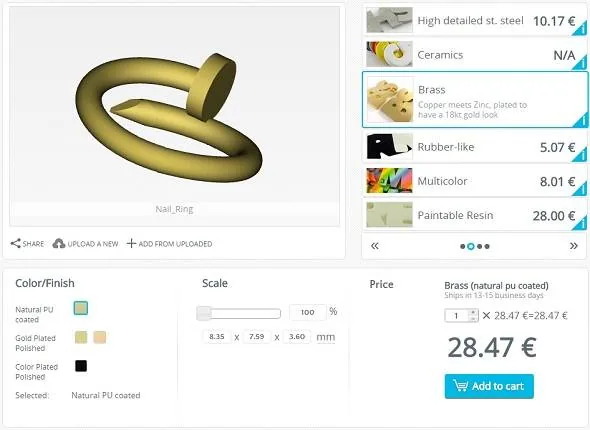
Finally, if you want to print your model, click « Upload 3D model and continue to i.materialise » to take your model i.materialise where you can finish your purchase.
 i.materialise